Deleting a section in the WordPress docs plugin is similar to deleting documentation. If you have read the guide on how to delete documentation in weDocs, then this will be easier for you to understand.
Let’s do it now!
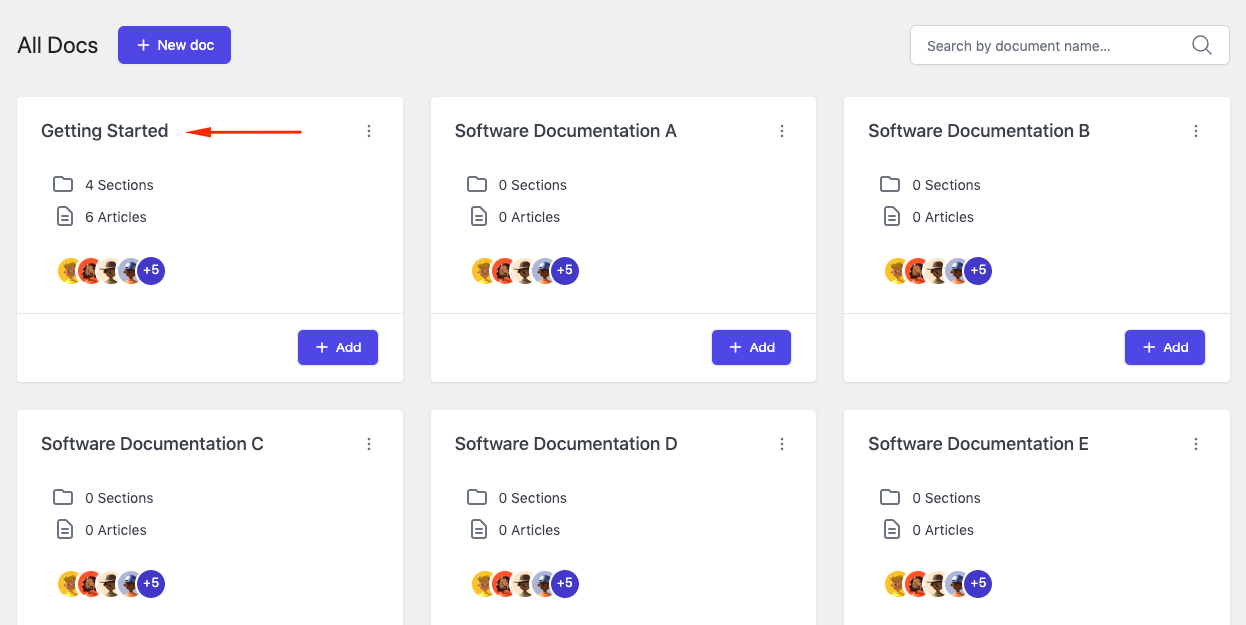
To delete a section from documentation, click any of the documentation that you like.
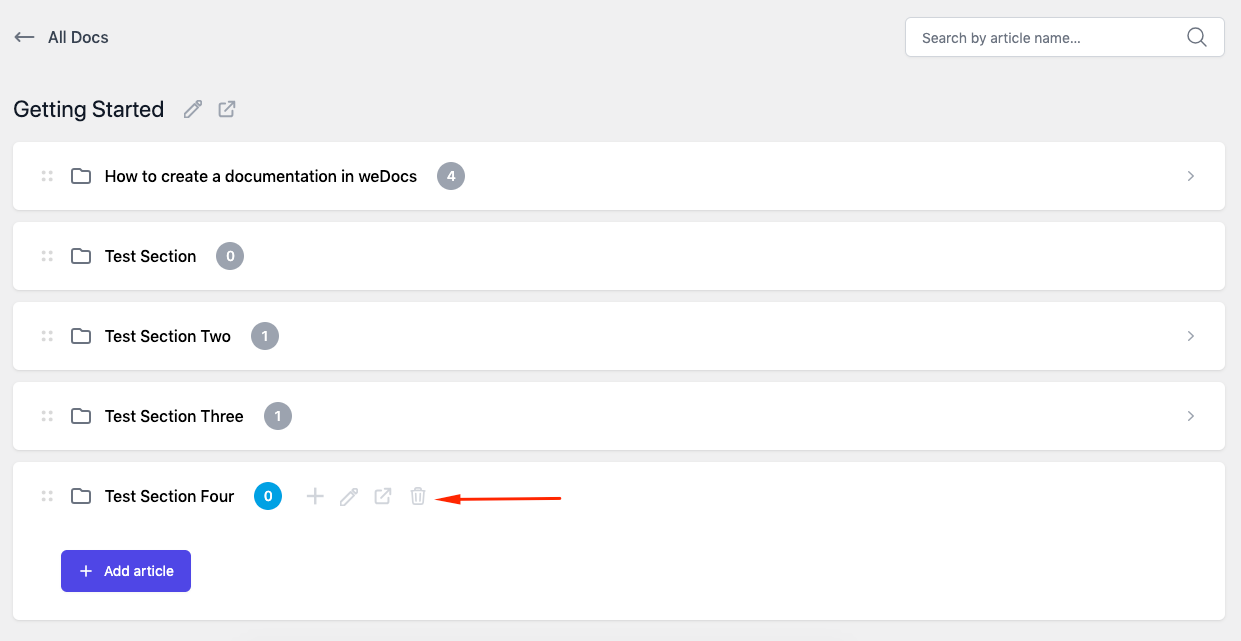
After that, hover your mouse cursor and you’ll see the “trash” button will appear.
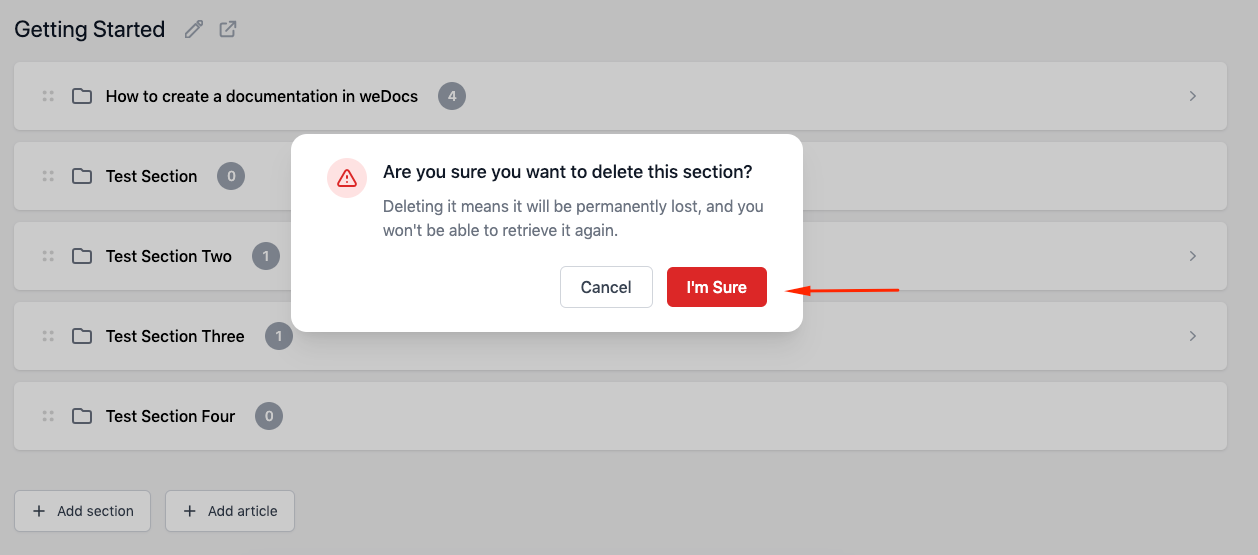
Just click on the “I’m sure” and here you go. Your section will be deleted.
After you do this, your section will be deleted from the list. So this is how you can easily delete a section using weDocs.