⌘K

How to delete documentation in weDocs

Last updated

AI-Powered Summary

Click to generate a summary of this documentation using AI

The way you create documentation using the weDocs, you can easily delete documentation. If you don’t know how to create documentation with the WordPress docs plugin, check out the tutorial here.

To delete the whole documentation, click on the three dots icon. And you can see the “delete” option.
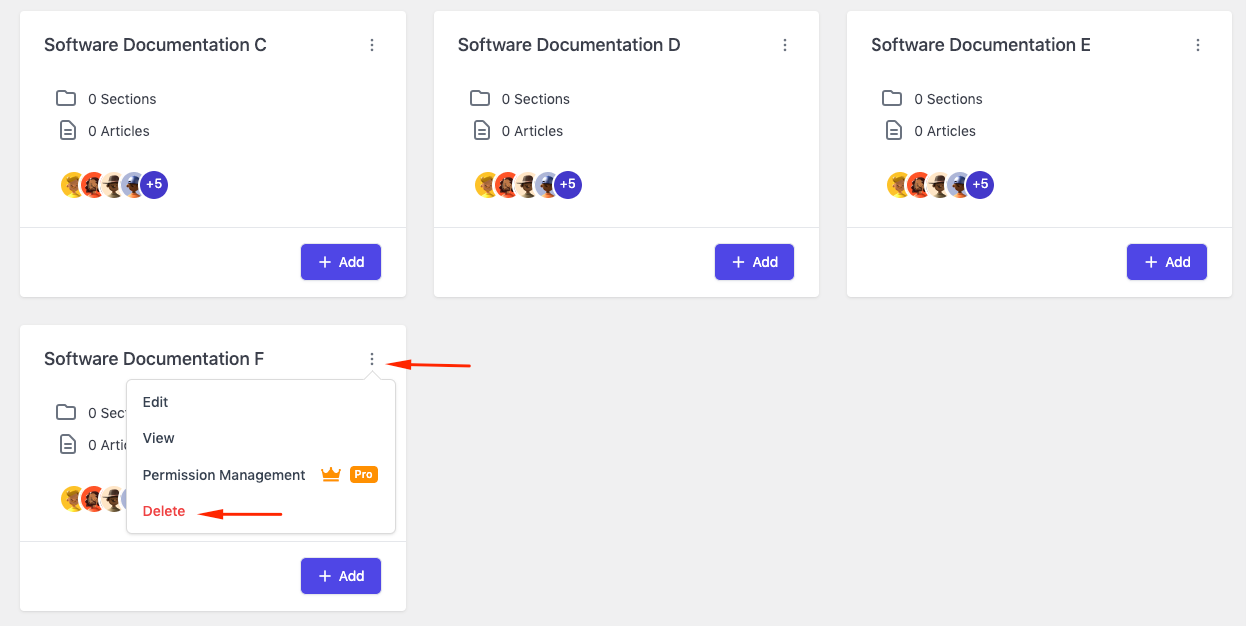
Deleting a documentation in weDocs

Just click on it and you’ll get a window. Then click on the “I’m Sure“.
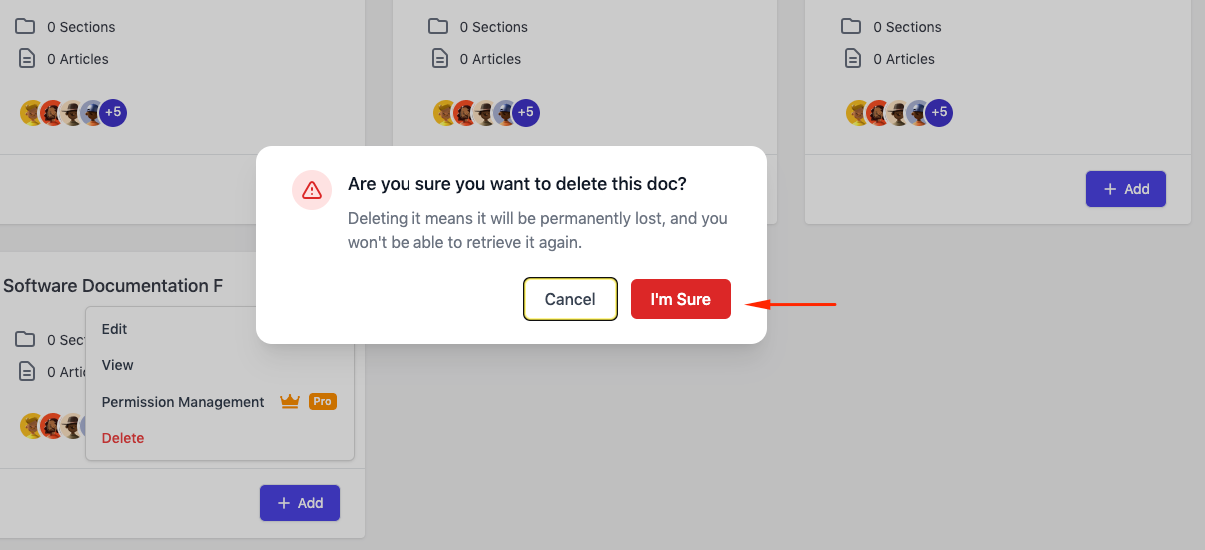
Confirmation of the deleted documentation in WordPress docs plugin

After you do this, your preferred documentation will be deleted from the list.

Written By

Updated on November 16, 2021

Still stuck? How can we help? Get Help

Table of Contents

No headings found. The table of contents will be generated automatically when you add headings to your content.

Font Size:(Default)