⌘K

How to delete an article in weDocs

Last updated

AI-Powered Summary

Click to generate a summary of this documentation using AI

If you have already gone through how to delete documentation and section, this step will be simple.

Now let’s learn how to do it easily!

Open your preferred documentation as you did for the section. And then you can see the “trash” option after hovering on the “three dots” option.
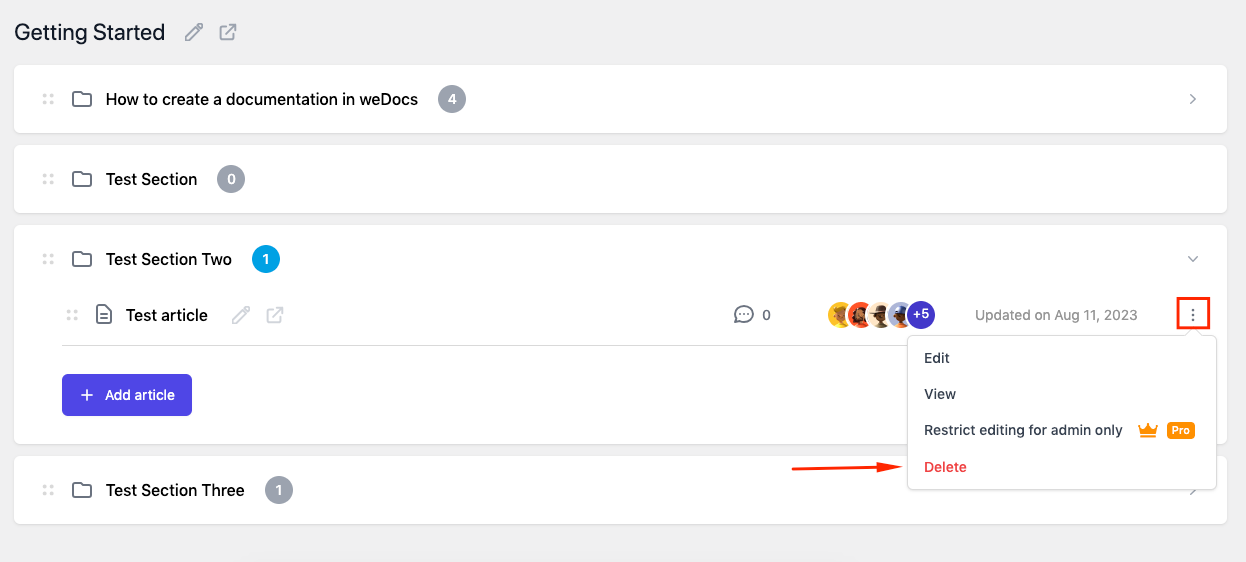
How to delete an article in WordPress docs plugin

Once you click here, click the “I’m sure” button. And that’s all!
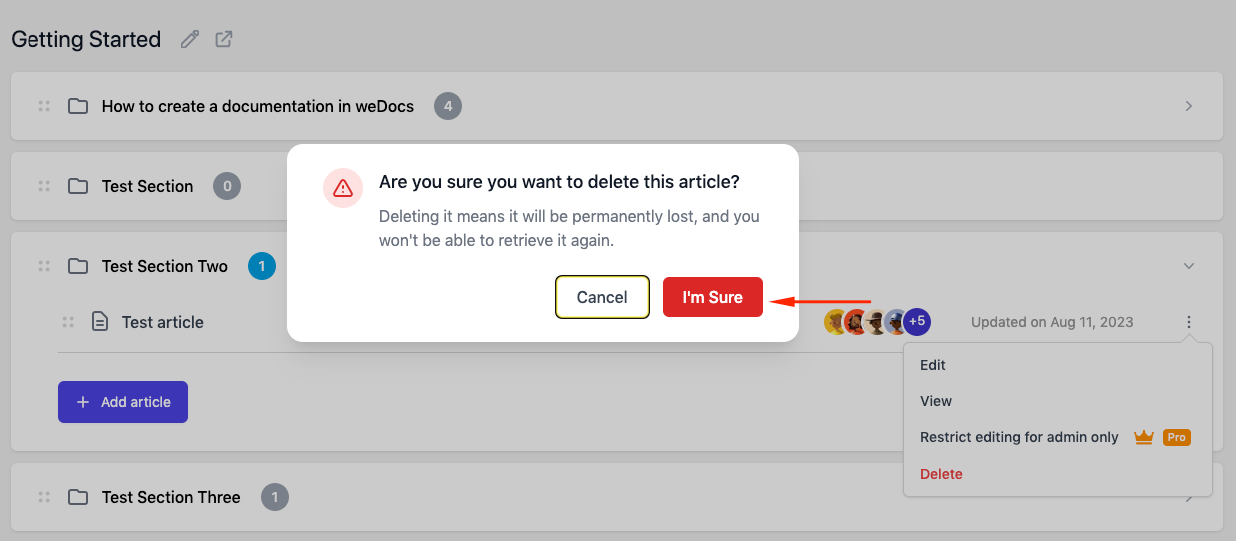
Deleting an article inside a section in weDocs

So this is how you can quickly delete an article using weDocs.

Written By

Updated on November 16, 2021

Still stuck? How can we help? Get Help

Table of Contents

No headings found. The table of contents will be generated automatically when you add headings to your content.

Font Size:(Default)