⌘K

WordPress documentation plugin shortcodes

Last updated

AI-Powered Summary

Click to generate a summary of this documentation using AI

You can use the weDocs shortcode to show your documentation on any page. You will find the shortcode in the WP Admin–> weDocs–> Settings page.

There, copy the shortcode:

[wedocs]
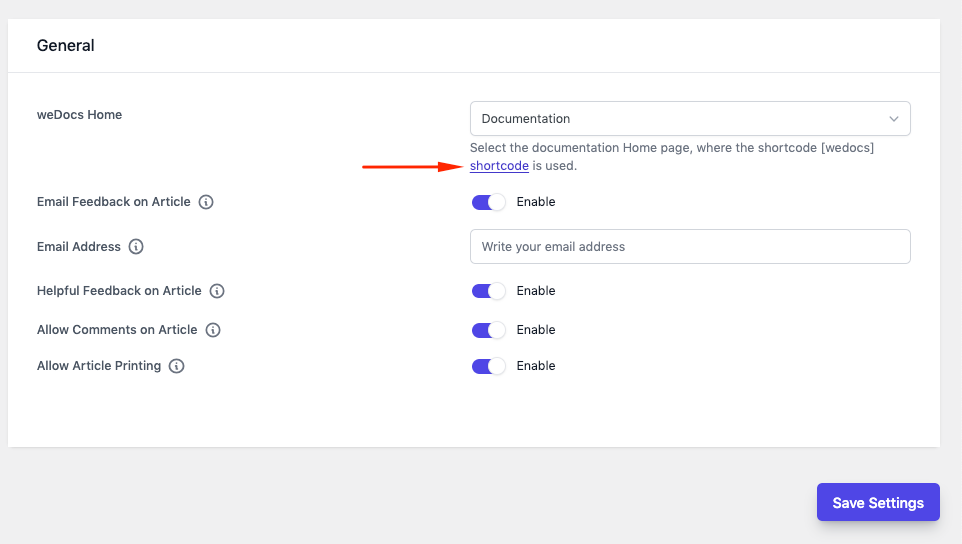
Using the shortcodes of weDocs

Now, go to Pages->Add New and create a new page.
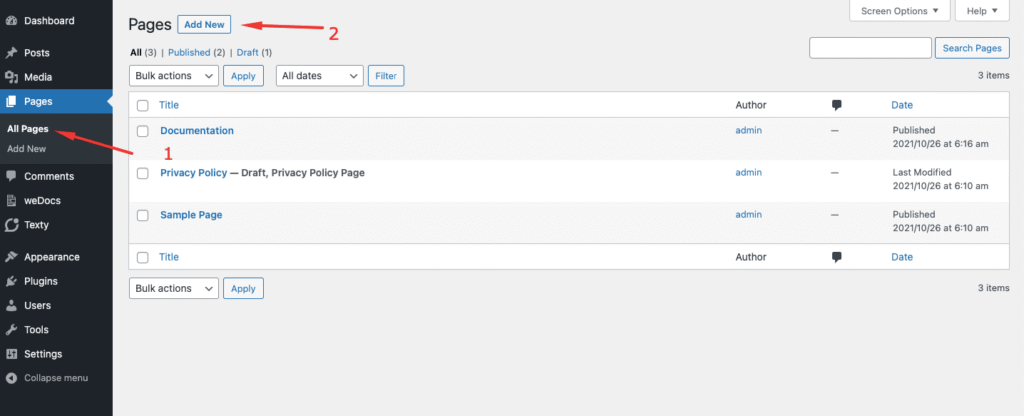
add new page
Add New page

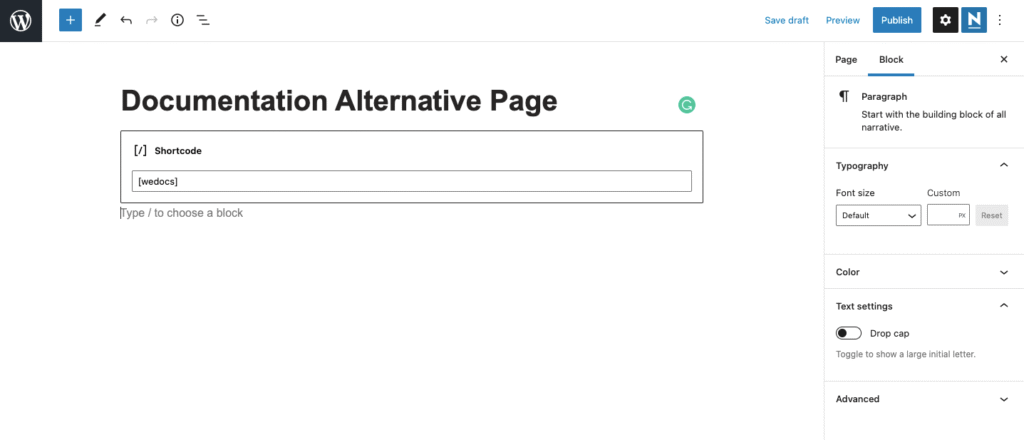
On the page, paste the shortcode,

paste the shortcode
Paste the ShortCode

Then you will see the documentation on your created page.
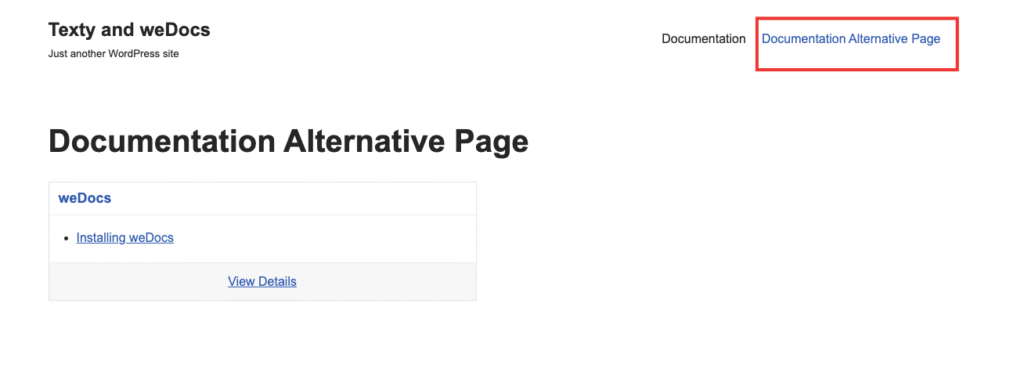
shortcode created page
new documentation page created

This is how you can use a shortcode to create an alternative documentation page.

Written By

Updated on November 16, 2021

Still stuck? How can we help? Get Help

Table of Contents

No headings found. The table of contents will be generated automatically when you add headings to your content.

Font Size:(Default)